Artur.LA
Field IT & network technician
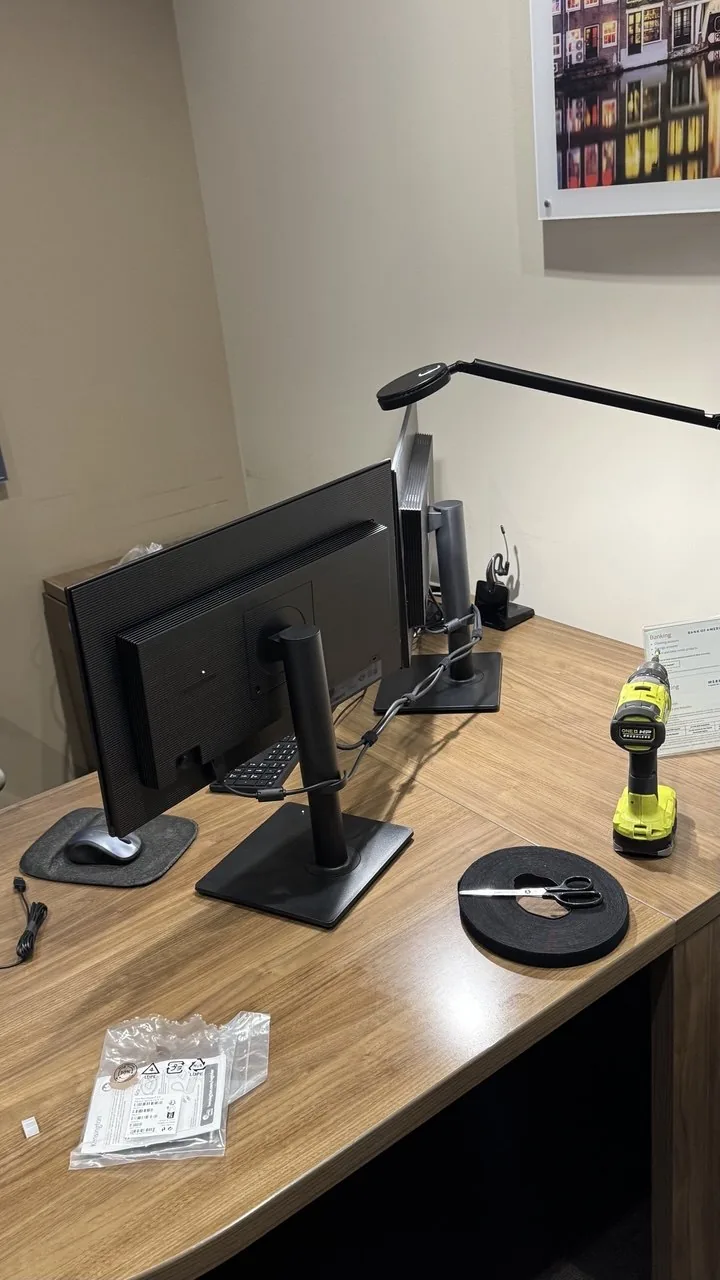
Workstation deployment in progress — monitors, peripherals, and cable ties on a desk
Los Angeles · Available for on-site dispatch

On-site IT support, wherever the job is.

Network troubleshooting, workstation deployment, and rack cable management for offices, racks, and job sites across Los Angeles. Professional tools, clear documentation, same-day dispatch when needed.

On-site & remote support Same-day dispatch available Documented — before/after photos
Tier 1–3
Break/fix to infrastructure builds
Same-day
Dispatch availability in LA
Documented
Clear notes + before/after photos
Troubleshoot

Network down, workstation not connecting, printer offline — I find the root cause on site

Deploy

New workstations — unboxing, setup, and getting users up and running fast

Cable

Rack cable management — patch panels dressed and labeled

Document

Every job leaves with clear notes and before/after photos

How I work

The work order says one thing. I fix what's actually wrong.

A ticket is a starting point, not the whole job. If I can fix it, I fix it — the real problem, not just the line item.

Real example

Work order: "no power to the printer." On site, the power supply tested fine — it was the power cord itself. Swapped the cord, printer powered on... and turned out it had never been configured on the network. Could've called the ticket done right there. Didn't. It was a Friday evening and the business needed that printer working, so I stayed, got it on the network, and when one setting still wouldn't cooperate, called the manufacturer's support line until it did. Call me for one thing — get it actually working, not a ticket marked resolved.

Common situations

What I get called for

Most of this is stuff that needs a set of hands on site — not something fixable over the phone.

New hire, no working workstation

Unboxing, setup, and account/peripheral configuration before they sit down.

A room or floor lost the network

Bad drop, failed switch port, or a patch panel nobody ever labeled.

Rack looks like a plate of spaghetti

No labels, no plan, and nobody wants to touch it. I clean it up and document what's there.

New device won't join the network

Printer, scanner, or access point that won't authenticate or pull an IP.

Site survey before a rollout

Nobody knows what's actually installed at a new or unfamiliar site. I map it.

Old cabling, no documentation

Runs with no labels and no record of what goes where — I trace and label it.

Services

What I can help with

Scope and rate confirmed before the job starts — day rate or per-project, depending on the work.

Network

Network Troubleshooting

Network down in a room, a switch acting up, a Wi-Fi dead zone nobody can explain? I trace the problem on site — cabling, switch config, or the AP itself — and fix it or tell you what's needed.

  • Onsite diagnostics for drops & dead zones
  • Switch & patch panel verification
  • Wi-Fi troubleshooting
  • Root cause documented
Request troubleshooting help →
Workstations

Workstation Setup & Deployment

New PC or laptop rollouts — unboxing, OS setup, peripherals, and getting the user working. One machine or a batch.

  • New workstation unboxing & setup
  • User profile & data migration
  • Peripheral setup (printers, monitors, docks)
  • Multi-seat rollouts
Request workstation help →
Cabling

Rack Cable Management

Patch panels dressed and labeled, not a rat's nest. I trace, organize, and label existing cabling with a professional Klein Tools kit.

  • Patch panel & rack cable dressing
  • Cable labeling & documentation
  • Cable tracing & auditing
  • Rack audits & cleanup
Ask about cable management →
Surveys

Site Surveys & Documentation

Walking a new or unfamiliar site, mapping what's actually there, and leaving clear documentation — notes and before/after photos on every job.

  • Site walkthroughs & infrastructure mapping
  • Before/after photo documentation
  • Clear handoff notes
  • Multi-site consistency
Ask about a site survey →
Recent work

A few stories from the field

Real jobs. What was actually wrong, and what it took to fix it.

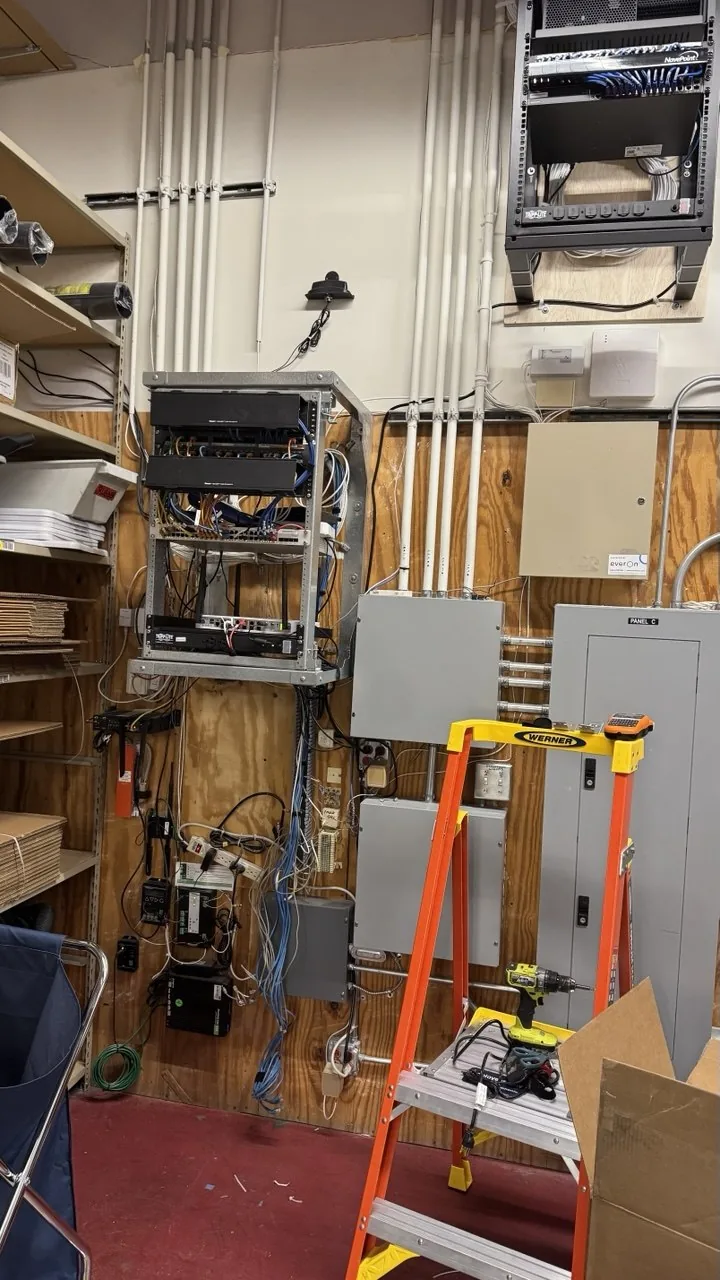
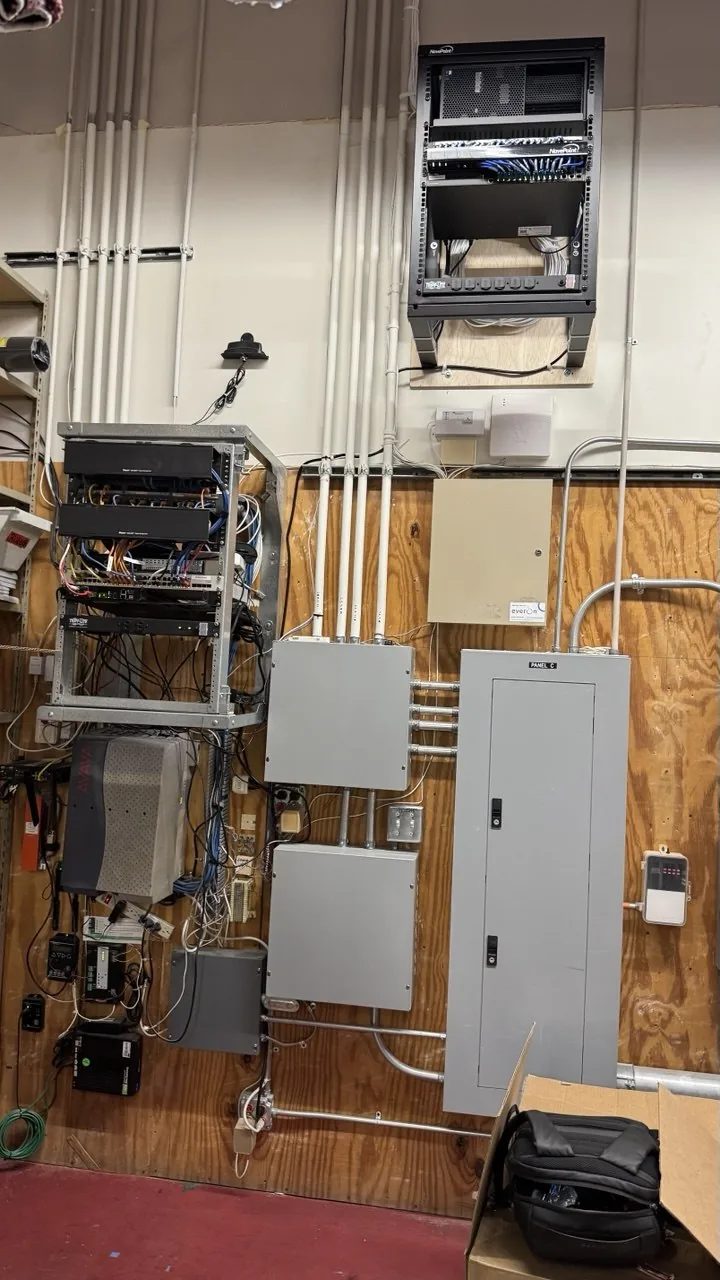
Network core relocated to its new position
The equipment closet before the network core was moved

Network core relocation

Not a tidy-up — the core itself moved. Switches, panels, and power reconnected in their new spot, same day.

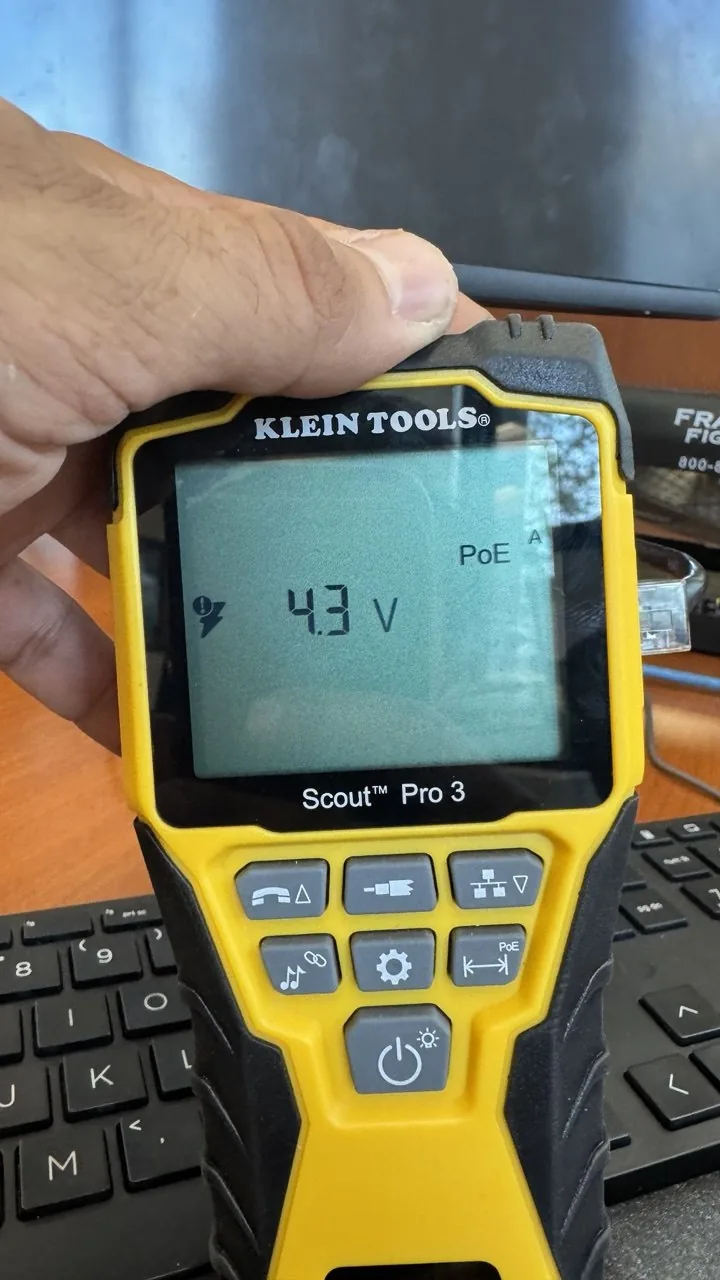
Klein Tools cable tester reading 4.3 volts on a bad PoE connector
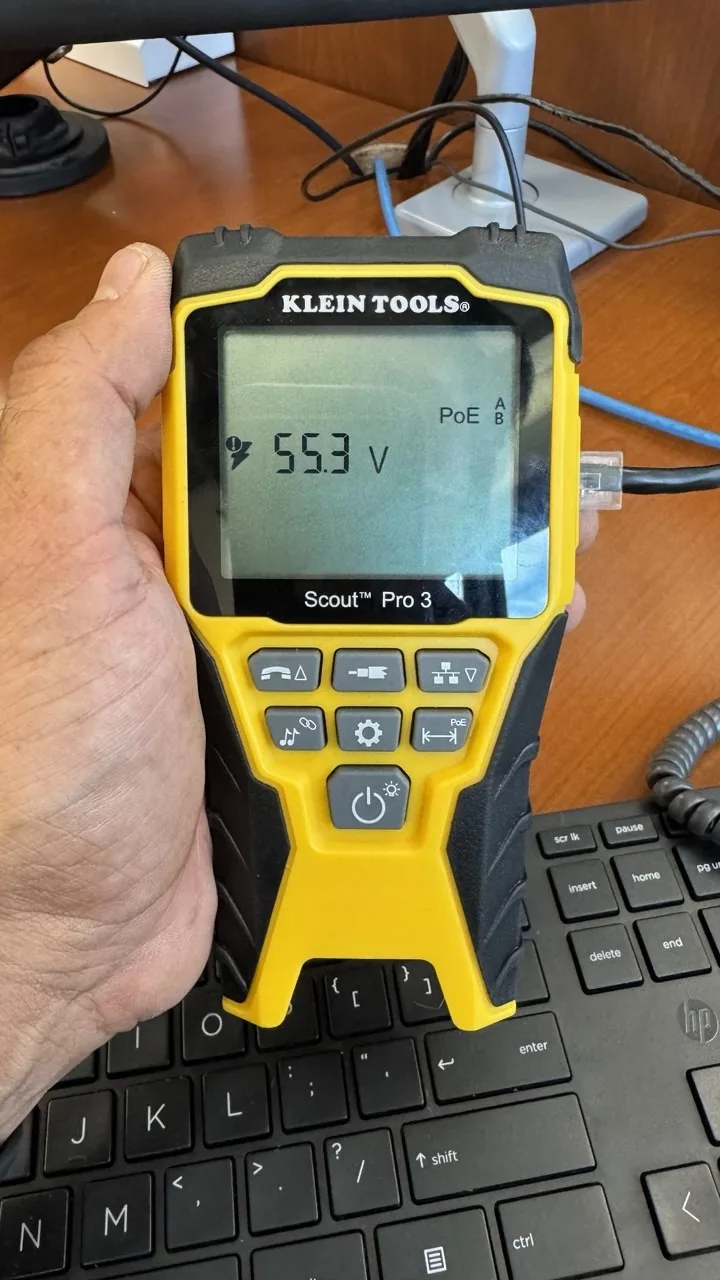
Same tester reading 55.3 volts after replacing the connector

4.3V isn't power

First reading: 4.3V — nowhere near enough. Found a bad connector on the run, swapped it, tested again: 55.3V. The device was never the problem.

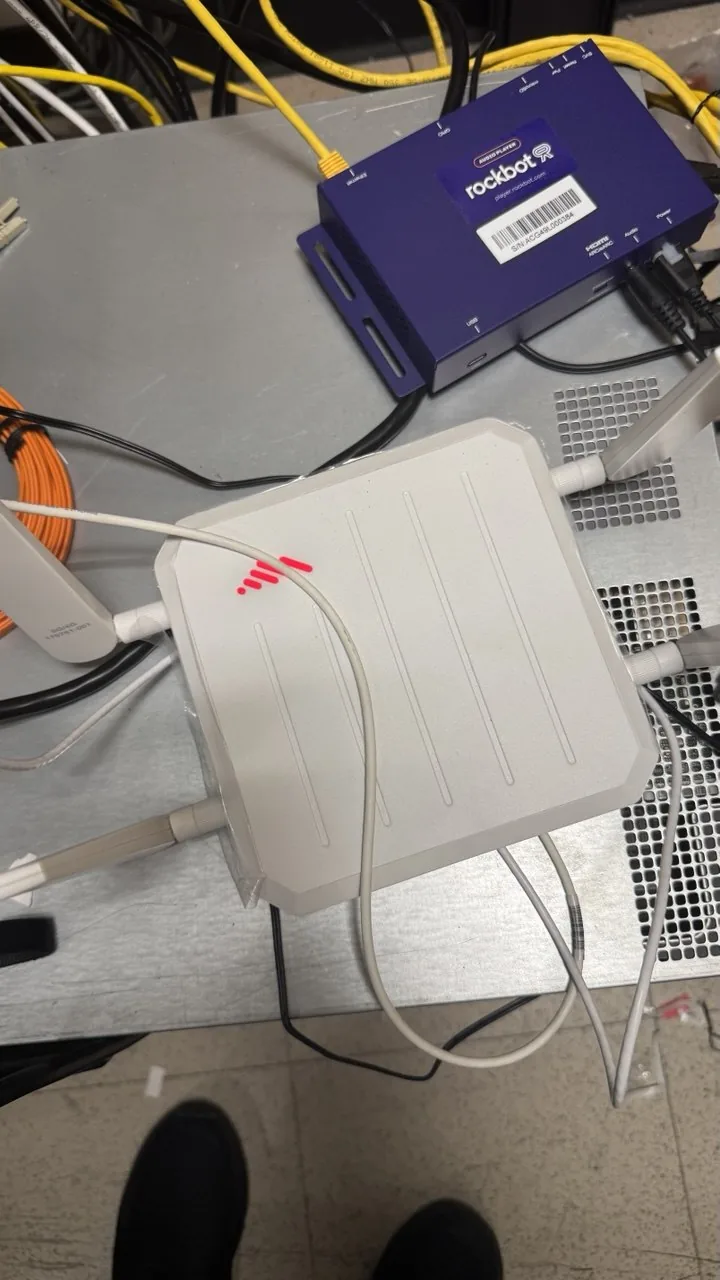
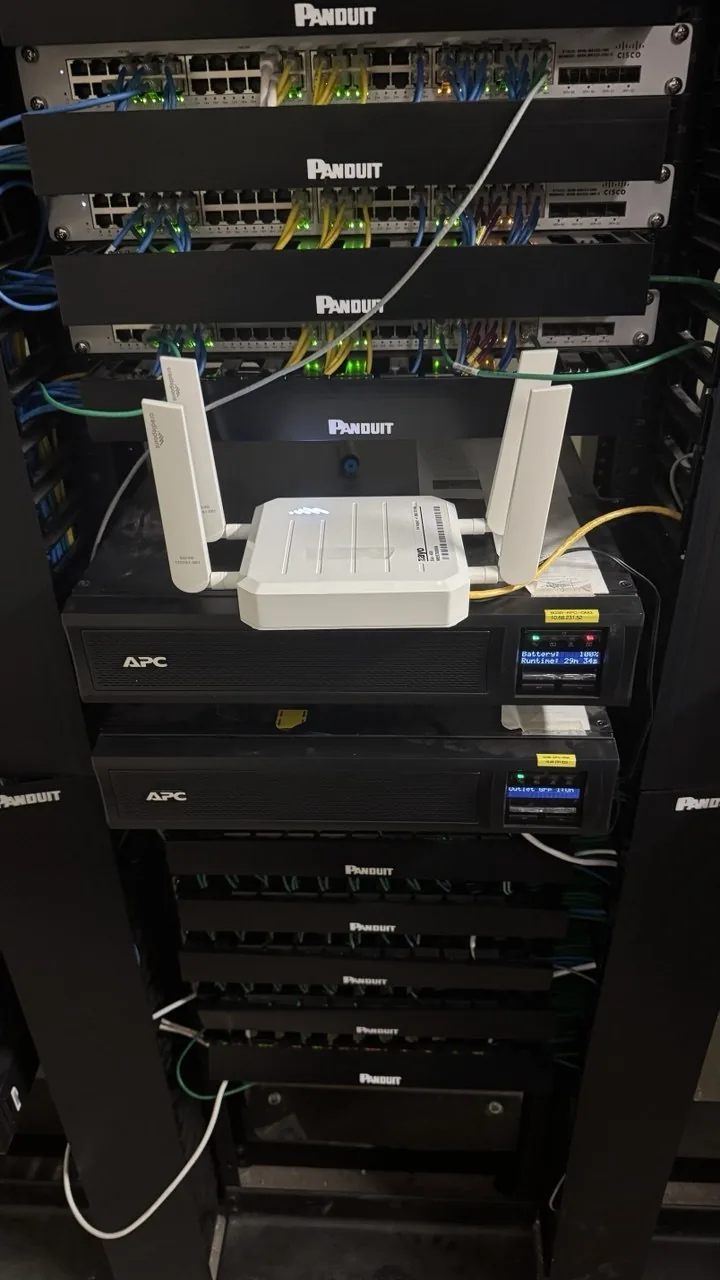
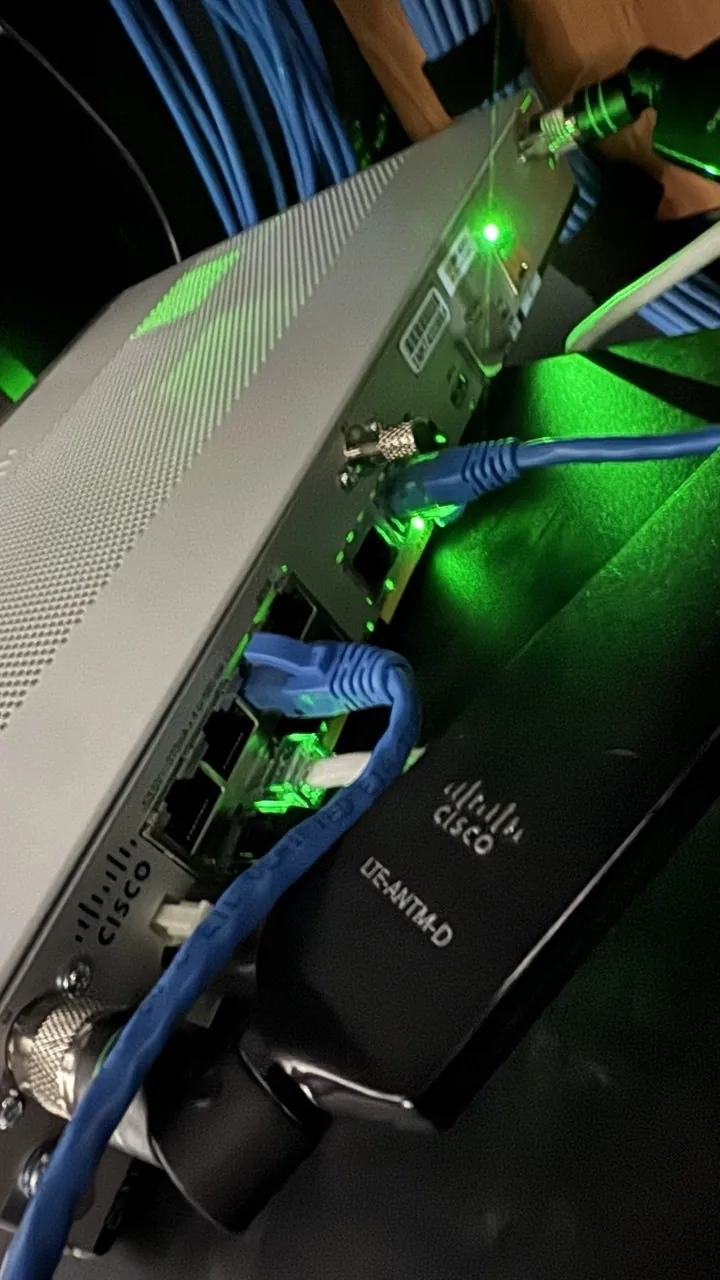
Cellular bridge device on a bench showing a red status light
The same cellular bridge reseated in the rack

The signal was never the antenna's fault

Previous tech couldn't figure out why the cellular link kept dropping. The SIM cover wasn't fully seated — closed it properly, reseated it, back online.

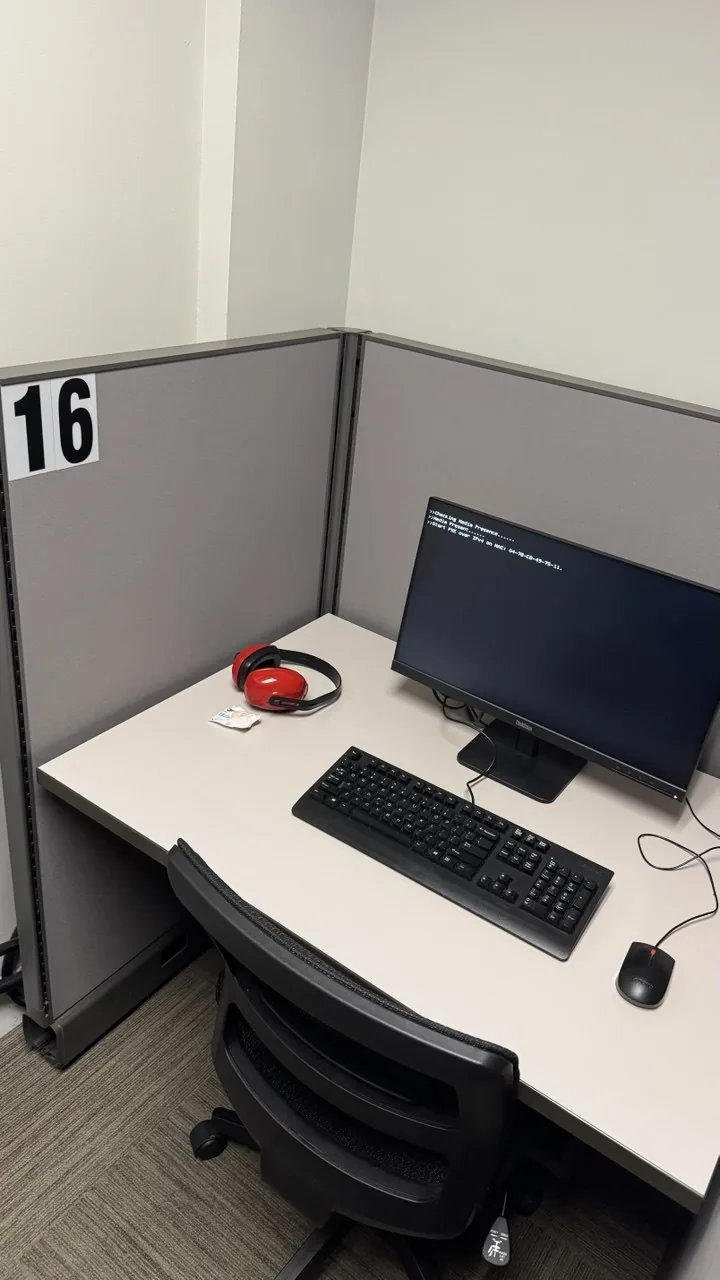
Monitor stuck on a PXE network boot screen instead of loading Windows
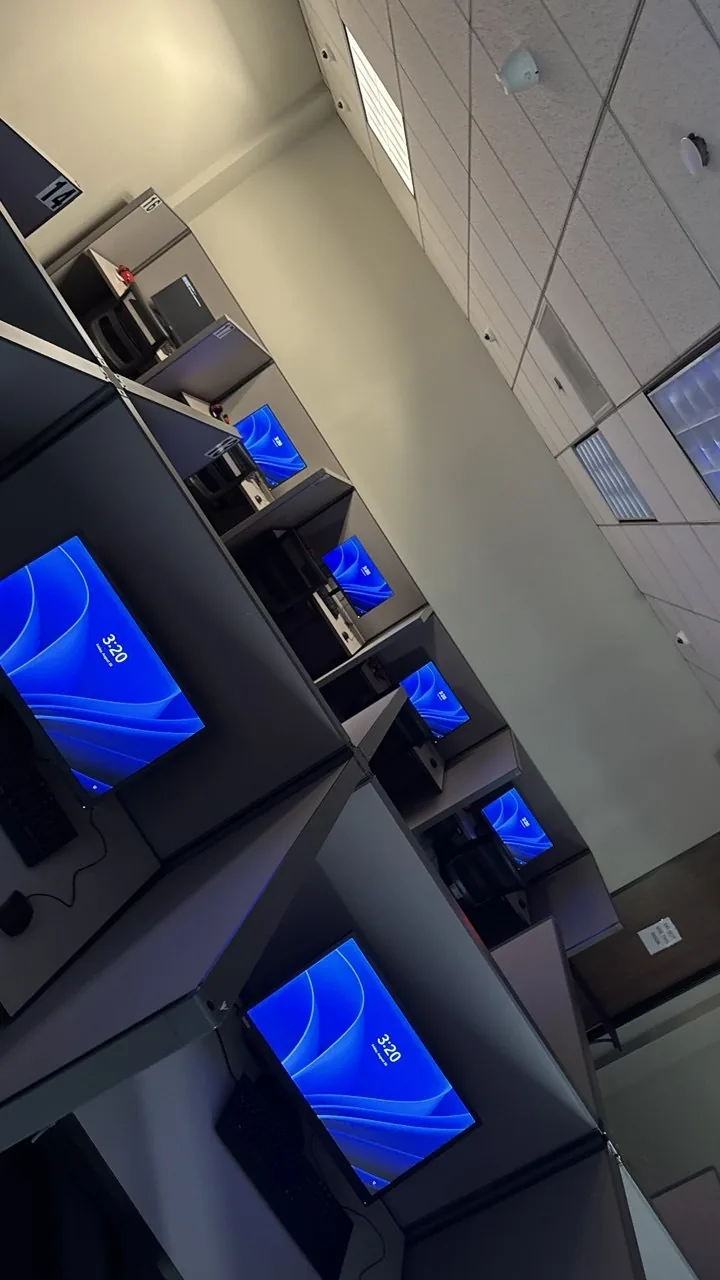
A row of desks all showing working desktop screens after the fix

Checked before I called it done

After the Windows deployment, one machine was still set to boot from the network first. Would've been a surprise on the next reboot — caught it by testing every machine before leaving.

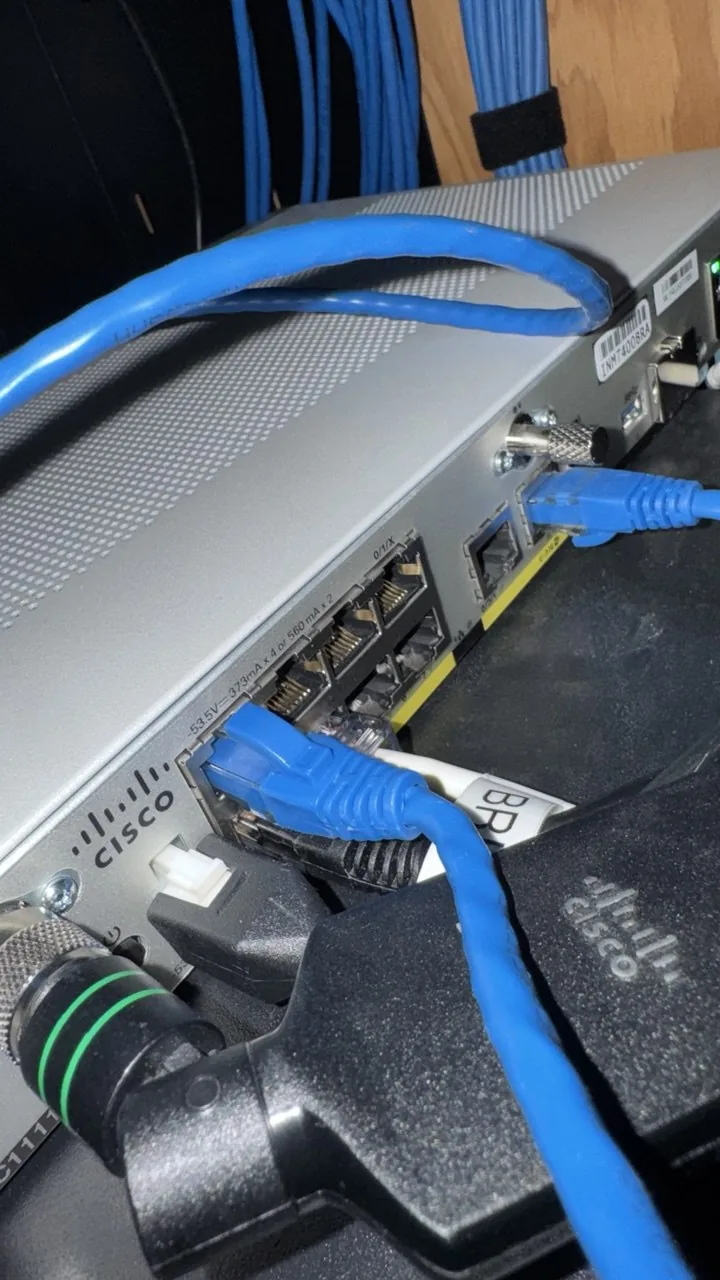
Tangle of cabling at the Cisco switch, unclear which port goes where
Labeled patch cable landed in the correct Cisco port

Wrong port, right port

Nobody on site could tell which port matched which drop. Traced the run back to the switch and landed it in the one that actually worked.

Why work with me

Actual diagnostics, not guessing

I trace the network path and check the hardware before deciding what's wrong — not just rebooting things and hoping.

Documented, not tribal knowledge

Every job leaves with clear notes and before/after photos — useful for you and whoever touches it next.

Direct communication

You talk to the person doing the work, not a dispatch queue. Text me, I text back.

Own tools, ready to go

Professional Klein Tools kit, cable tester, laptop — no waiting on a truck to restock.

Good fit
  • Offices and small businesses needing on-site network or workstation help
  • New hire workstation setup & rollouts
  • Rack cable management & cleanup projects
  • Site surveys before a larger rollout
  • Available for dispatch through Field Nation and similar platforms
Not ideal
  • Large enterprise deployments needing a full on-site crew
  • Work that requires a specific licensed trade under local code
FAQ

Questions people usually ask

What kind of jobs do you take? +

Network troubleshooting, workstation setup and deployment, rack and cable management, and site surveys. If it's field IT work, text me the details and I'll let you know.

How do you price the work? +

Scope call first, then a day rate or per-project quote — confirmed before any work starts.

Do you work through Field Nation or similar platforms? +

Yes — available for dispatch through Field Nation and similar platforms, as well as direct engagements.

What tools do you bring? +

A professional Klein Tools kit, cable tester, laptop, and basic spares — ready for same-day dispatch.

What areas do you cover? +

Los Angeles and nearby areas. Text me your location and I'll confirm.

Can you handle multi-site or recurring work? +

Yes — ongoing infrastructure support, multi-site rollouts, and recurring maintenance are all fine.

Contact

Have a job that needs someone on-site?

Text me the type of work, the site, and your timeline. I'll confirm availability and rate.

Phone
(310) 751-0510
Email
artur@artur.la
What to include
  • Type of work (network / workstations / cabling)
  • Site address or area
  • Timeline / urgency
  • Scope details, if you have them

Direct communication. Clear scope before any work starts.

Call Text